Managing Dashboards
Dashboards are a way to see the data you care about, in a way that makes sense to you.
Managing Dashboards
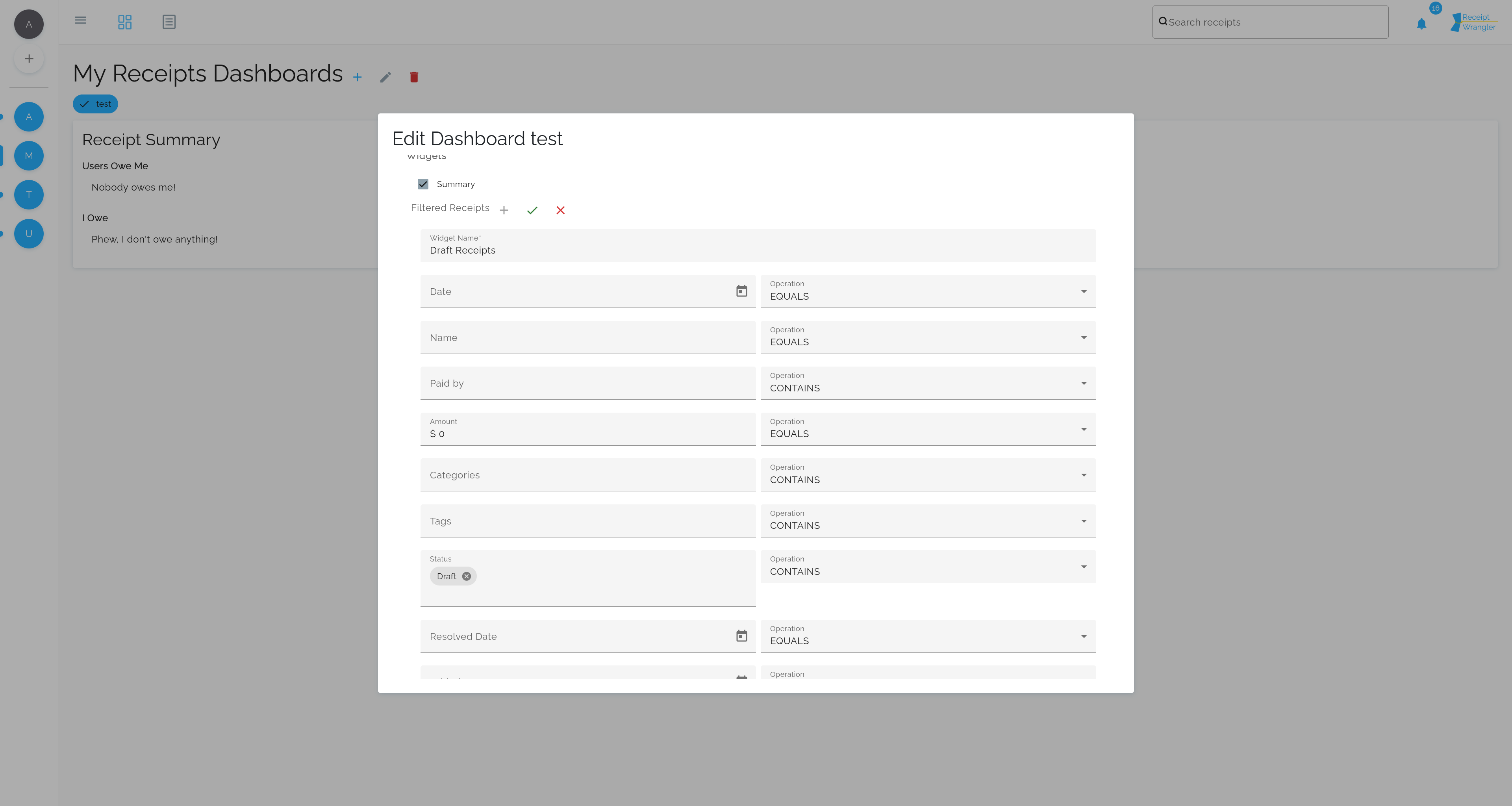
Clicking the add blue add button, or the edit pencil will allow you to add or edit a dashboard.
Dashboard Name
This will change the dashboard's name. There are no constraints on the dashboard name, other than it must be longer than 0 characters.
Widgets
Widgets are the main way in which users can customize their dashboard. Widgets can be added, edited, and deleted.
Summary Widget
This widget summarizes how much you owe, and how much is owed to you in the group.
Filtered Receipts Widget
This widget lets users create a custom filter to see only the receipts they care about. Multiple filters can be added, and the filters can be edited or deleted.
The pictured filter for example shows all the receipts that have been resolved. The filter is a powerful and flexible way to see exactly what you want to see.